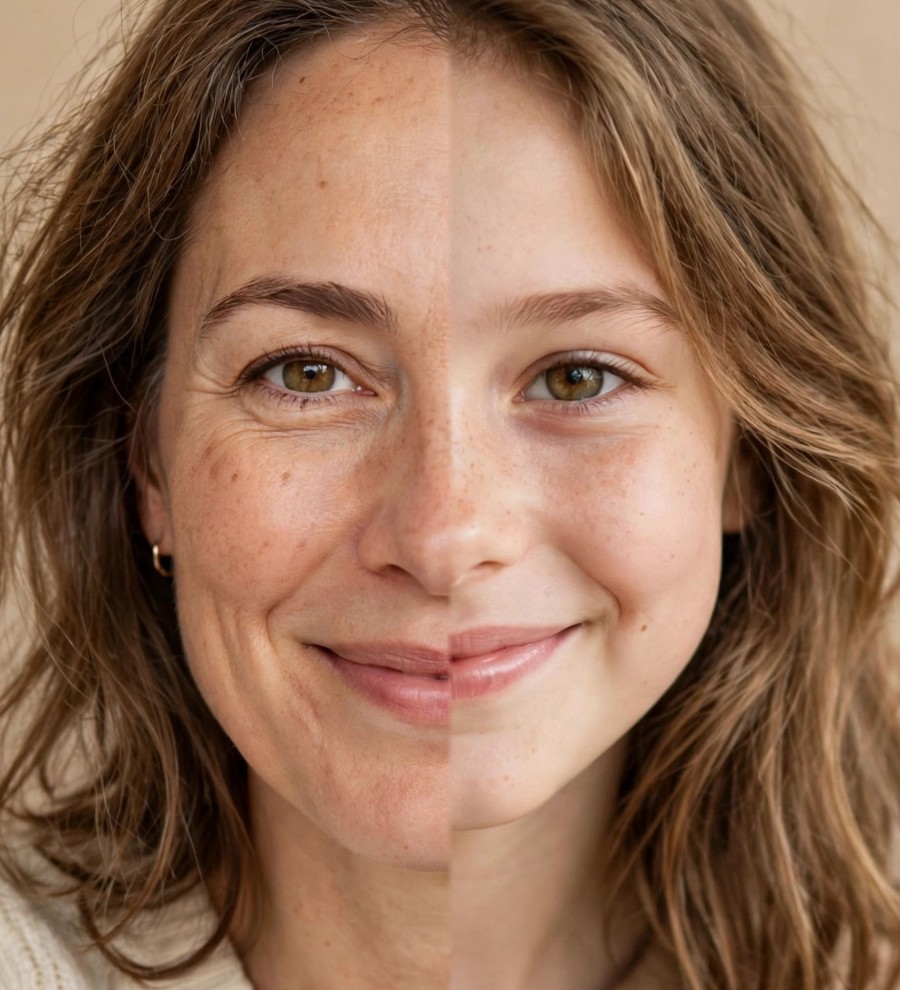
The viral TikTok trend, minus the editing

The split-face trend takes 20 minutes of editing. SplitFace does it in one tap.

Upload two photos — AI finds the faces, aligns them, and lets you drag the split line live. Export a share-ready portrait for TikTok in seconds.

100% in your browser No sign-up Free to try

Woman photo Girl photo
Photo A Photo B Drag the line
Man photo Boy photo
Photo A Photo B Drag the line
80-year-old woman photo 30-year-old woman photo
Photo A Photo B Drag the line
Parent & child

Drag the split line on any slide. Every merge made with the app itself.

How it works

Three steps. Zero editing skills.

Everything runs on your device — no accounts, no waiting rooms, no "rendering…" spinners.

Sample photo A + Sample photo B

Upload two photos

Drop in any two portraits — you and your kid, you and your mom, whoever. No account? No problem. Photos never leave your device.

Drag the split line

AI detects both faces and aligns eyes, scale and angle automatically. Then you slide the split line to the perfect spot — live.

Merged portrait ready to export SplitFace

Export & post

One click downloads a share-ready portrait sized for TikTok. Free exports carry a tiny watermark — or go watermark-free with Pro.

Examples

Made with SplitFace, in seconds

Every merge below was generated by the app — no Photoshop, no CapCut timeline.

Split-face merge example, classic split Classic split
The half-and-half~30 sec
Split-face merge example, sides flipped Sides flipped
The mirror swap~30 sec
Split-face merge example, soft seam close-up Soft seam blend
The close-up crop~30 sec

Make yours in 30 seconds.

The app opens right in your browser. No sign-up, no install — pick two photos and post your first split-face today.

Pricing

Free forever. Pro is a one-time $4.99.

No subscriptions, no credits, no upsell maze. Pay once, keep it forever.

Free

$0

Everything you need to ride the trend.

  • Unlimited split-face merges
  • AI face detection + auto-align
  • Draggable split line, live preview
  • Small SplitFace watermark on export
  • Standard export resolution
Start free
Most popular

Pro

$4.99 one-time

Pay once — yours forever, no subscription.

  • Everything in Free
  • No watermark on exports
  • HD export — crisp full resolution
  • Priority on new features
Get Pro — $4.99

Secure checkout · 30-day money-back guarantee · Cancel nothing, there's no subscription

FAQ

Questions, answered.

No. SplitFace runs entirely in your browser — open the app, drop in two photos, and start merging. Nothing to install, no email, no password.

On your own device. Face detection, alignment and merging all happen client-side in your browser — your photos are never uploaded to a server.

You'll get a clear hint to try a clearer, front-facing photo. You can also continue with a center-crop fallback and position things manually — front-facing portraits with good lighting work best.

Pro removes the SplitFace watermark from your exports and unlocks HD full-resolution downloads. It's a one-time payment — no subscription, yours forever.

Hit "Get Pro" inside the app and you'll go through a secure checkout (card, Apple Pay or Google Pay depending on your device). After payment your exports are watermark-free instantly.

Yes — the app is fully mobile-friendly. Upload from your camera roll, drag the split line with your finger, and export straight to your photos, ready to post.